
How to Use Custom Asset Datasets for Brand-Consistent Thumbnails

Scroll through any big YouTube channel and you can usually spot their thumbnails from the row above. The palette, the type weight, the contrast, all of it lines up across hundreds of videos. People recognize the channel before they read the title.
For faceless channels that's the whole game. You don't have a host's face doing the recognition work, so the visual identity has to carry it.
ThumbAPI supports custom asset datasets, which is a set of reference images you upload once that the API uses as a style reference for every generation. Here's how to set one up and wire it into your pipeline.
What Is a Custom Asset Dataset
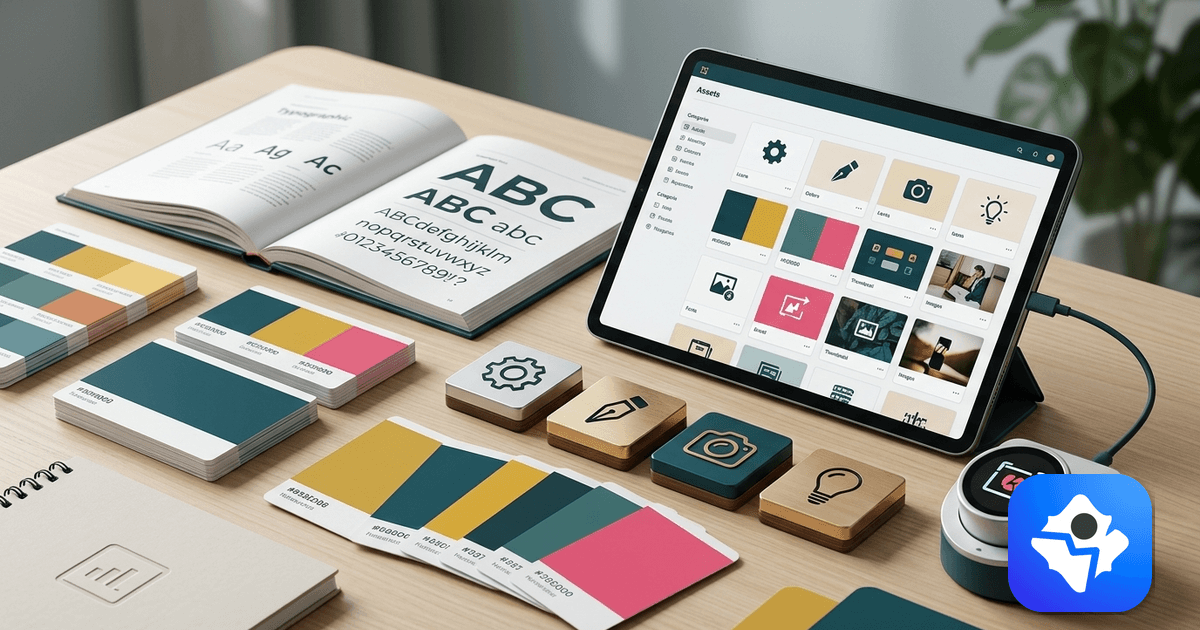
A dataset is a collection of reference images that define your channel's visual style. When you include a dataset ID in your API request, the generation pipeline uses those images as a style guide, pulling color palette, visual tone, layout energy, and typography weight from your existing thumbnails.
It's worth being clear about what this is not. It's not a template system. A template would lock the layout, the same hero element in the same corner every time. A dataset is looser than that: the layout is still generated fresh for each title, only the visual language stays put.
When to Use a Dataset
Use a dataset when:
- You've published at least 5–10 videos and have a visual style you want to maintain
- You're onboarding a new channel to automation and want every thumbnail to match a defined look
- You're managing multiple channels that each need a distinct visual identity
You don't need a dataset for your first few generations. Start without one to see the default output quality, then add a dataset once you know what visual direction you want.
Step 1 — Prepare Your Reference Images
Select 5–10 images that represent your ideal thumbnail style. These can be:
- Your best-performing existing thumbnails
- Reference images from channels with a visual style you want to emulate
- Custom graphics you've designed to represent your brand direction
Quality matters more than quantity. Five well-chosen images produce better results than twenty inconsistent ones. Choose images that share a consistent color palette, similar contrast and brightness levels, and typography weight and placement you want to replicate.
Step 2 — Upload Your Dataset
- Log in to app.thumbapi.dev
- Navigate to Assets in the sidebar
- Create a new dataset and give it a name (e.g., "History Channel — Dark Epic Style")
- Upload your reference images
- Save the dataset — you'll receive an asset ID like
m6XhjtZNdF0N2AFXUOiq
Keep this ID. You'll use it in every API call for this channel.
Step 3 — Add the Dataset to Your API Request
Include the customAssetsId parameter in your generate request:
{
  "title": "The Rise and Fall of the Byzantine Empire",
  "format": "youtube",
  "imageStyle": "faceless",
  "outputFormat": "webp",
  "customAssetsId": "m6XhjtZNdF0N2AFXUOiq"
}
That single parameter is the only change from a standard request.
Code Examples
cURL
curl -X POST https://api.thumbapi.dev/v1/generate \
  -H "x-api-key: YOUR_API_KEY" \
  -H "Content-Type: application/json" \
  -d '{
    "title": "The Rise and Fall of the Byzantine Empire",
    "format": "youtube",
    "imageStyle": "faceless",
    "outputFormat": "webp",
    "customAssetsId": "m6XhjtZNdF0N2AFXUOiq"
  }'
Python
import requests
import base64

API_KEY = "your_api_key_here"
ASSET_ID = "m6XhjtZNdF0N2AFXUOiq"

def generate_with_dataset(title):
    response = requests.post(
        "https://api.thumbapi.dev/v1/generate",
        headers={
            "x-api-key": API_KEY,
            "Content-Type": "application/json"
        },
        json={
            "title": title,
            "format": "youtube",
            "imageStyle": "faceless",
            "outputFormat": "webp",
            "customAssetsId": ASSET_ID
        }
    )
    response.raise_for_status()
    data = response.json()
    return base64.b64decode(data["image"].split(",")[1])

image_bytes = generate_with_dataset("The Rise and Fall of the Byzantine Empire")
with open("thumbnail.webp", "wb") as f:
    f.write(image_bytes)
JavaScript
import fs from "fs";

const API_KEY = "your_api_key_here";
const ASSET_ID = "m6XhjtZNdF0N2AFXUOiq";

async function generateWithDataset(title) {
  const response = await fetch("https://api.thumbapi.dev/v1/generate", {
    method: "POST",
    headers: {
      "x-api-key": API_KEY,
      "Content-Type": "application/json"
    },
    body: JSON.stringify({
      title,
      format: "youtube",
      imageStyle: "faceless",
      outputFormat: "webp",
      customAssetsId: ASSET_ID
    })
  });

  const data = await response.json();
  const buffer = Buffer.from(data.image.split(",")[1], "base64");
  fs.writeFileSync("thumbnail.webp", buffer);
  console.log("Saved:", data.dimensions);
}

generateWithDataset("The Rise and Fall of the Byzantine Empire");
Managing Multiple Channels with Different Datasets
If you run more than one channel, create a separate dataset for each and store the IDs in your configuration:
# channel_config.py
CHANNELS = {
    "history_channel": {
        "asset_id": "m6XhjtZNdF0N2AFXUOiq",
        "format": "youtube",
        "style": "faceless"
    },
    "finance_channel": {
        "asset_id": "pQ9RksTmBv3X7YZWLNcj",
        "format": "youtube",
        "style": "faceless"
    },
    "true_crime_channel": {
        "asset_id": "hN2VwxDkGe5A8CUJMPqr",
        "format": "youtube",
        "style": "faceless"
    }
}
Each channel gets its own visual identity, fully automated.
Updating a Dataset Over Time
As your channel evolves, your dataset should too. If you rebrand, update the color palette, or change visual direction, upload a new set of reference images and replace the asset ID in your configuration.
Old thumbnails keep their original style. New ones automatically follow the updated direction. No regeneration required.
What a Dataset Doesn't Do
A dataset guides visual style, it doesn't lock in a layout. Each thumbnail generation produces a unique composition based on the title. Two titles covering the same topic will still come out visually distinct.
If you need pixel-exact template replication, build a templating layer on top with a tool like Bannerbear or a Figma plugin. Datasets are the right tool when you want every thumbnail in a library to feel like the same channel without looking copy-pasted.
Start free with 50 credits per month, upload your reference set, and lock in a brand-consistent thumbnail style across every upload.

Written by
Aldin KozicaFull-stack developer from Bosnia and Herzegovina. I built ThumbAPI because I kept watching content teams waste hours on thumbnail design when the patterns are predictable enough to automate. The API is the tool I wished existed when building content pipelines for my own projects.
Continue Reading
A complete walkthrough for wiring a thumbnail API into a Node.js project — env setup, first request, saving files, error handling, and dropping the call inside an Express or Next.js route.
Thumbnail API Tutorial for Python Developers — Full Code ExamplesGenerate YouTube thumbnails, OG images, and blog covers from Python in one HTTP call. Sync requests, async httpx, retries, and a Flask/FastAPI route — all in plain Python.
Generate YouTube Thumbnails with JavaScript and Node.jsComplete guide to integrating ThumbAPI into JavaScript and Node.js projects. Covers single requests, batch generation, TypeScript types, and integration patterns.
Batch Thumbnail Generation for 100 Videos with PythonBuild a Python script that processes a CSV of video titles and generates production-ready thumbnails for all of them in a single run using ThumbAPI.
Generate Thumbnails With an API
Try ThumbAPI free. 50 credits per month, no credit card required. One API call, production-ready output.