
Generate YouTube Thumbnails From Any Title — One API Call
ThumbAPI generates 1280x720 YouTube thumbnails from any video title. Send a title, pick a style, get a production-ready image back in WebP or PNG. No design tools, no templates, no manual work.
Every YouTube video needs a thumbnail. Most creators spend 20-60 minutes per thumbnail in Canva or Photoshop — choosing backgrounds, placing text, adjusting colors. ThumbAPI replaces that with a single API call. You send a title, the AI handles design, composition, and rendering. You get back a 1280x720 image ready to upload.
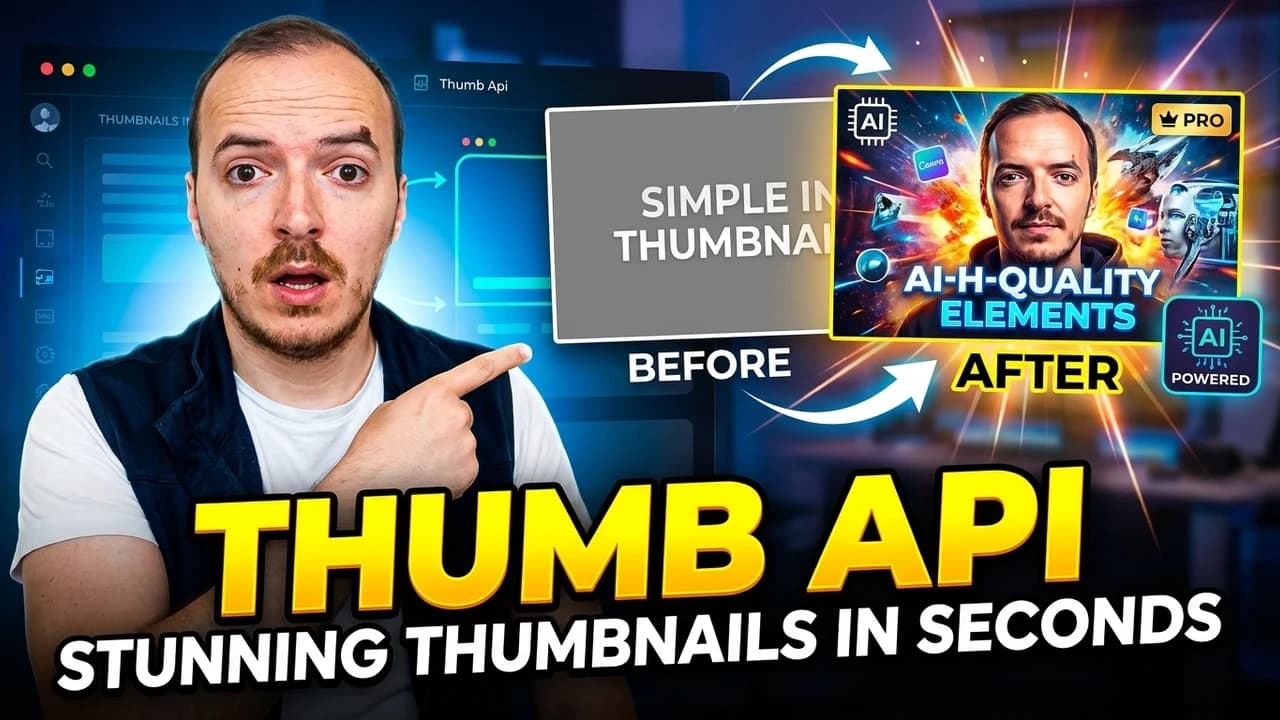

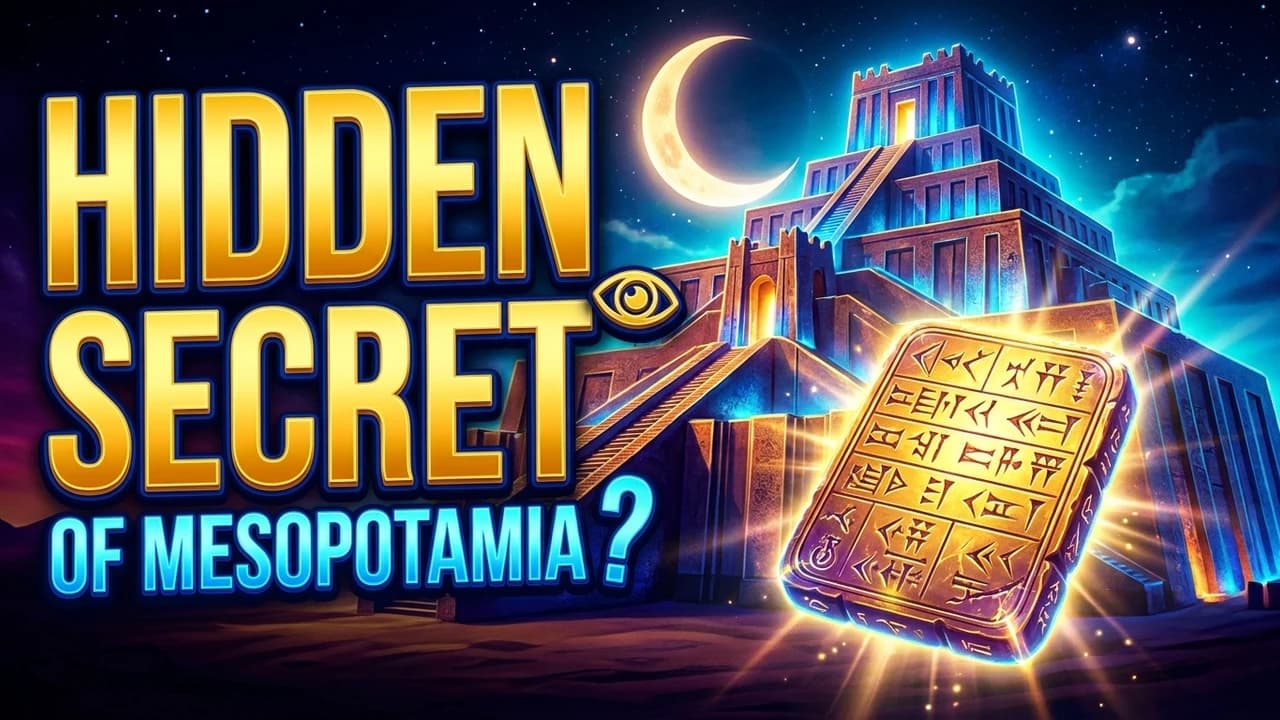

Real examples — 1280×720 YouTube thumbnails generated by ThumbAPI
Quick start example
curl -X POST https://api.thumbapi.dev/v1/generate \
  -H "x-api-key: YOUR_API_KEY" \
  -H "Content-Type: application/json" \
  -d '{
    "title": "10 Tips to Grow Your YouTube Channel",
    "format": "youtube"
  }'
How It Works
Three steps. No SDKs required — any language that can make HTTP requests works.
- Send a POST request with your video title, the format (
youtubefor 1280x720), and your preferred image style. - AI generates the design. The API analyzes your title, selects composition, typography, colors, and layout that match the content.
- Get your thumbnail back as a base64-encoded image (WebP or PNG) in the JSON response. Save it to disk or upload directly to YouTube.
The entire process takes under 25 seconds. No queues, no polling — you get the image in the same HTTP response.
What You Get Back
The API returns a JSON object with everything you need:
| Field | Type | Description |
|---|---|---|
image | string | Base64-encoded image with data URI prefix. Ready to save or embed. |
format | string | The format used — youtube (1280x720). |
dimensions | object | Width and height in pixels. |
The image is production-ready. Save the base64 string to a .webp or .png file, or pass it directly to the YouTube Data API for upload. Free-tier output carries a small ThumbAPI watermark; paid plans return watermark-free images.
YouTube Thumbnail Styles
ThumbAPI supports three image styles. Choose the one that fits your channel:
| Style | Parameter | What It Does |
|---|---|---|
| Faceless | (default — no flags) | Text-and-graphic design with no people. Bold typography, color gradients, icons. Best for automated content, compilation channels, and educational videos. |
| Personalized | usePhoto: true | Includes a person's face or photo. Upload a base64 image via thephotoImage parameter (max 2MB) or use a saved Personal Photo asset. The AI composites the person into the design. Best for creator-led channels and podcasts. |
| Branded | useLogo: true | Your company or channel logo overlaid on the thumbnail. Upload your logo via logoImage (max 1MB) or use a saved Logo asset. Best for companies, agencies, and multi-show brands. Combine with usePhoto for creator brands. |
Built for Automation
ThumbAPI is a REST API. Anything that can make an HTTP POST request can generate thumbnails. That means you can plug it into:
- Publishing pipelines — generate a thumbnail every time a video is scheduled, automatically.
- CMS hooks — WordPress, Ghost, Strapi, or any headless CMS can trigger thumbnail generation on publish.
- No-code tools — use Zapier, Make.com, or n8n to connect ThumbAPI to your existing workflow.
- Batch scripts — loop through a list of titles and generate all thumbnails in a single run. Useful for content calendars and backfill.
- YouTube Data API integration — generate the thumbnail and upload it to YouTube programmatically. Full end-to-end automation.
For a creator-focused overview of every format the API covers — YouTube, blog covers/OG, X, Instagram, LinkedIn — the thumbnail API for creators landing page walks through the full stack a working creator ships to.
Who Uses This
Solo Creators
You publish 2-5 videos a week and spend too much time on thumbnails. ThumbAPI gives you a starting point in seconds — tweak if needed, or use as-is for faceless content.
Agencies
You manage 5-50 YouTube channels. Each needs unique thumbnails at volume. ThumbAPI handles the bulk work so your designers focus on hero content.
Faceless Channels
No face, no photographer, no design skills needed. The faceless style generates text-and-graphic thumbnails that work for compilation, listicle, and educational channels.
SaaS Builders
Building a content tool, CMS, or video platform? Add thumbnail generation as a feature for your users. One API integration, instant visual content.
Pricing
Pricing is metered in credits. A standard 1K YouTube thumbnail costs 10 credits; add-ons (saved photo, saved logo, custom reference set) add +2 each; a 2K (hd) render costs 20 credits instead of 10.
| Plan | Credits / month | Price |
|---|---|---|
| Free | 50 | $0 |
| Creator | 750 | $19/month |
| Pro | 2,500 | $49/month |
| Business | 10,000 | $199/month |
All plans include all formats and styles. Free-tier output carries a small ThumbAPI watermark — paid plans (Creator and up) return watermark-free images. See full pricing details.
FAQ
What size are YouTube thumbnails?
YouTube recommends 1280x720 pixels with a 16:9 aspect ratio. ThumbAPI generates exactly this size when you set format: "youtube".
What image formats does the API return?
WebP by default (smaller file size). You can also request PNG output via the format parameter. Both are production-ready.
Can I include my face in the thumbnail?
Yes. Set usePhoto: true and include a base64-encoded photo in the photoImage field (max 2MB), or save a Personal Photo asset in the dashboard and just pass the flag. The AI composites your photo into the thumbnail design.
Can I add my channel logo?
Yes. Set useLogo: true and include your logo as a base64-encoded PNG (transparent background recommended) in the logoImage field (max 1MB), or upload it once as a Logo asset. You can combine usePhoto and useLogo in the same request.
How long does generation take?
Under 25 seconds. The image is returned in the same HTTP response — no polling, no webhooks needed for basic use.
Can I upload the thumbnail directly to YouTube?
ThumbAPI returns the image as base64. You can decode it and pass it to the YouTube Data API's thumbnails.set endpoint for fully automated upload. Or save to disk and upload manually.
Start generating thumbnails via API — free tier available
Try It for FreeRelated Pages
All formats — YouTube, OG, blog covers, Instagram, X, LinkedIn — in one API.
Free YouTube Thumbnail MakerNo-code, no-design-skills version. 5 free thumbnails per month, no credit card.
API DocumentationFull endpoint reference, authentication, and code examples.
OG Image APIGenerate Open Graph images and social cards.
Personalized Thumbnail APIInclude your face or photo in every thumbnail.
Branded Thumbnail APIYour logo on every thumbnail, generated by API.
Faceless Thumbnail APIAI-generated thumbnails without a person in the image.