
Personalized Thumbnails — Your Face in Every Thumbnail, Generated by API
ThumbAPI lets you generate thumbnails that include a real person's face or profile photo. Send a title, set usePhoto: true, and get back a custom thumbnail with that person composited into the design.
No Photoshop. No templates. No manual work. One API call per thumbnail, each one unique to the title and the person.
You can send a photo inline as base64 in the photoImage field (max 2MB), or save it once as an asset in your ThumbAPI dashboard. Saved assets stay in your account — just set usePhoto: true and the API uses your stored photo automatically. No need to re-upload every time.

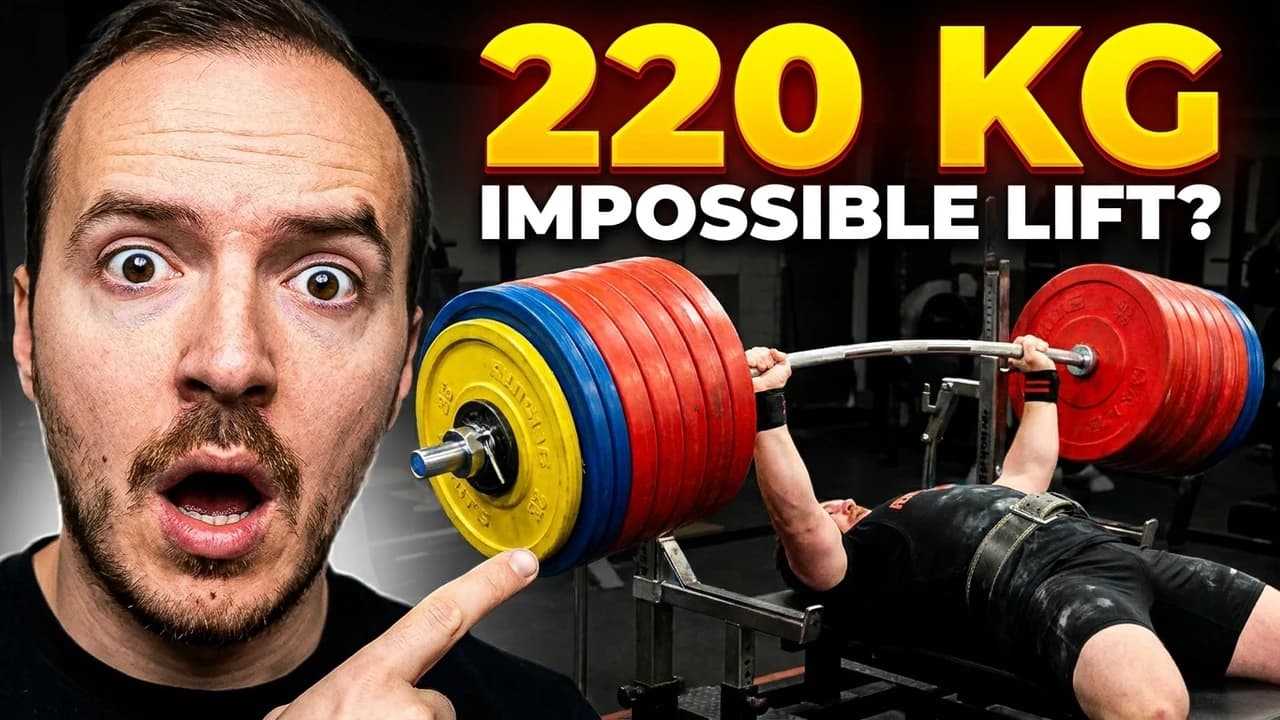

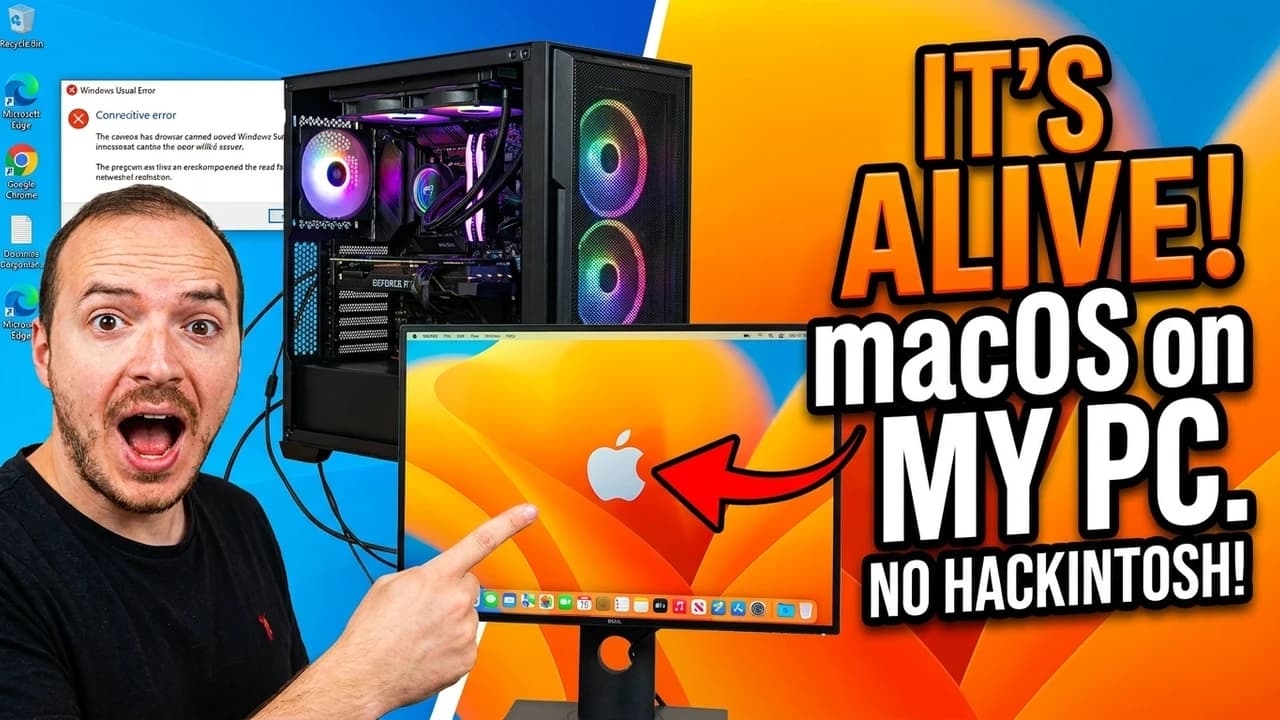
Real examples — generated by ThumbAPI with usePhoto enabled
How It Works
There are two ways to include your photo:
Option A — Use a saved asset (recommended)
Upload your photo once in the ThumbAPI dashboard under Assets → Personal Photo. Then every API call just needs usePhoto: true — no base64, no file handling.
- Save your photo — upload it once in Assets (JPEG or PNG, max 2MB)
- Generate thumbnails — set
usePhoto: truein every request - Done — the API uses your saved photo automatically
curl -X POST https://api.thumbapi.dev/v1/generate \
  -H "x-api-key: YOUR_API_KEY" \
  -H "Content-Type: application/json" \
  -d '{
    "title": "10 Tips to Grow Your Channel",
    "format": "youtube",
    "usePhoto": true
  }'
Option B — Send inline base64
If you prefer not to save assets, you can send the photo as base64 in the photoImage field on every request. Useful for one-off generations or when generating thumbnails for different people.
curl -X POST https://api.thumbapi.dev/v1/generate \
  -H "x-api-key: YOUR_API_KEY" \
  -H "Content-Type: application/json" \
  -d '{
    "title": "10 Tips to Grow Your Channel",
    "format": "youtube",
    "usePhoto": true,
    "photoImage": "data:image/jpeg;base64,/9j/4AAQ..."
  }'
API Parameters
| Parameter | Value | Required |
|---|---|---|
title | Your video or post title | Yes |
format | youtube | blogpost | instagram | x | Yes |
usePhoto | true — include a person photo in the thumbnail | Yes |
photoImage | Base64-encoded JPEG or PNG of the person (max 2MB) | No (omit to use your saved Personal Photo asset) |
customAssetsId | ID of a saved reference set — uses your uploaded reference thumbnails as style inspiration | No |
Who Uses Personalized Thumbnails
- YouTube creators — your face builds brand recognition. Viewers scroll faster when they recognize you.
- Podcasters — generate episode thumbnails featuring the guest's photo and episode title.
- Course creators — each lesson gets a thumbnail with the instructor's face and topic.
- Agencies — manage multiple creator accounts, each with their own face in every thumbnail.
Why Faces in Thumbnails Work
The human brain processes faces faster than any other visual element. The fusiform face area activates within 170ms — before conscious thought. A face in a thumbnail creates instant recognition, emotional connection, and trust. Channels that use consistent face-based thumbnails build stronger viewer loyalty over time.
Reference Images — Train the AI on Your Style
Want the AI to match a specific visual style? Upload 1-6 reference thumbnails as a reference set in your Assets. These serve as a style dataset — the AI uses them as inspiration for layout, color palette, and composition.
Create a reference set in your dashboard, then pass its ID as customAssetsId in your API request. The AI generates new thumbnails that match the style of your references instead of using its default style discovery.
Personalized vs Faceless vs Branded
| Style | Parameter | Best For |
|---|---|---|
| Personalized | usePhoto: true | Creator-led channels, podcasts, courses |
| Faceless | (default — no flags) | Automated content, compilation channels, blogs |
| Branded | useLogo: true | Companies, agencies, branded content |
| Personalized + Branded | usePhoto: true, useLogo: true | Creator brands with consistent logo placement |
FAQ
What image formats are accepted?
JPEG and PNG. Max 2MB per image. For saved assets, images are compressed to 512x512 on upload.
Do I need to send my photo on every request?
No. Save your photo once as an asset in the dashboard, then use usePhoto: true on every request. The API pulls it from your account automatically.
Can I generate thumbnails for different people?
Yes. Use the inline photoImage parameter to send a different photo per request. Saved assets are for your own recurring photo — inline base64 is for one-off or multi-person use cases.
Start generating personalized thumbnails today
Try It for FreeRelated Pages
The full Thumbnail API — endpoints, formats, code samples, and pricing in one place.
Branded Thumbnail APIGenerate thumbnails with your company logo overlay.
Faceless Thumbnail APIAI-generated thumbnails without a person in the image.
YouTube Thumbnail APIGenerate YouTube thumbnails from any video title.
API DocumentationFull endpoint reference with all parameters.