
ThumbAPI Features
Every capability exposed by the ThumbAPI generate endpoint. AI-driven thumbnail generation, live-updated references, brand-style cloning, and automatic photo and logo compositing, each with its own dedicated page below.
Prefer the technical reference? See the generate endpoint documentation for every field, every category value, and every response shape.
Title to Thumbnail Generation
Send a title, get a production-ready thumbnail. No templates, no layout to design.
- Real image generation, not template fill
- Trained on high-performing thumbnails
- Under 25 seconds via API or Studio
- MCP server, WordPress plugin, and n8n community node
{
  "title": "10 crypto scams",
  "format": "youtube"
}

Smart References
Auto-discover proven thumbnail patterns from a live-updated library.
- On by default — zero config
- Matched to platform + niche
- 13 categories or auto-classify
Custom Datasets
Upload 1–6 reference thumbnails and clone your brand style at 80–100% fidelity.
- Lock in a consistent brand look
- Alternative to Smart References
- Multiple style reference sets
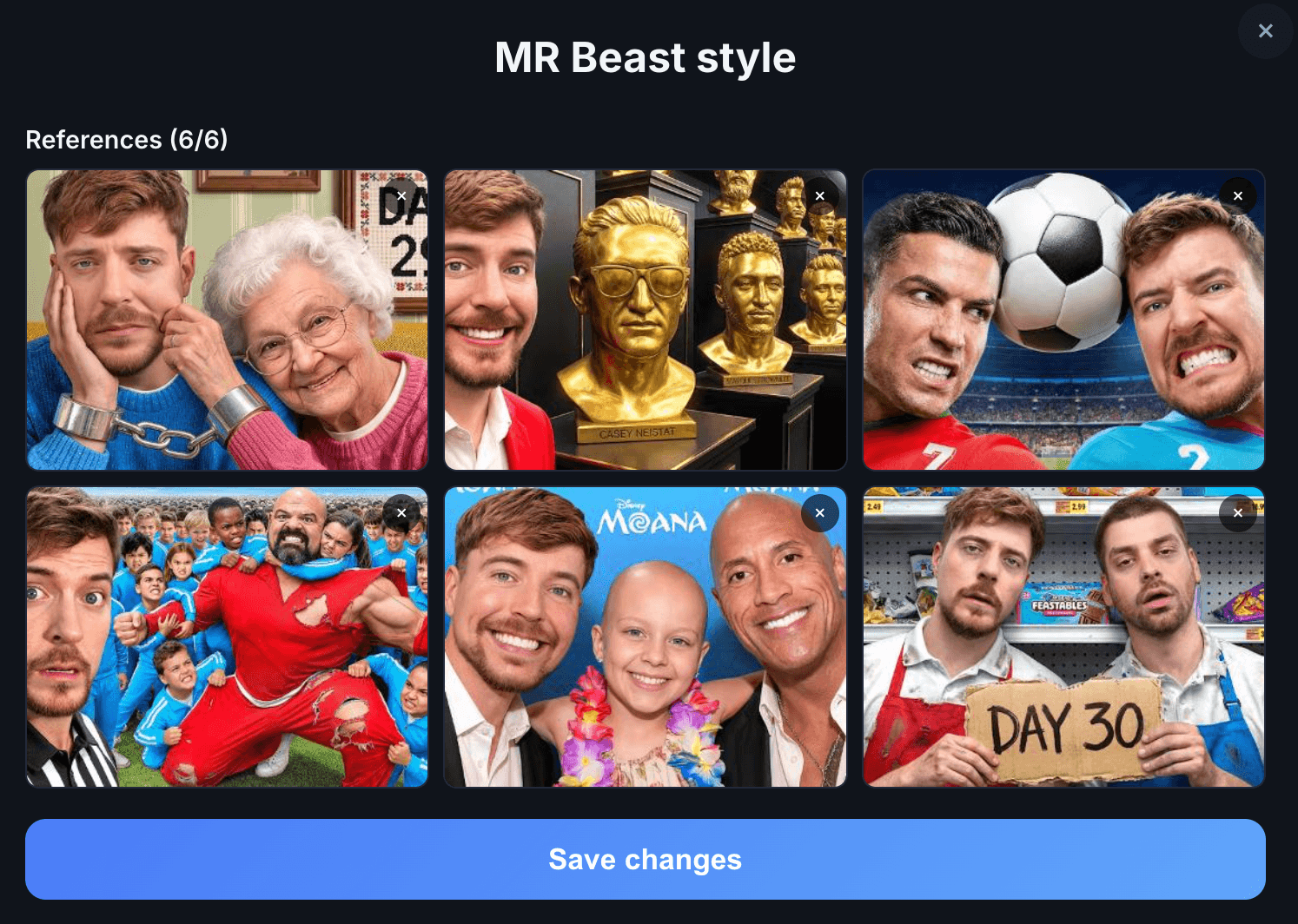
Photo in Thumbnail
Auto-composite your face into every thumbnail with usePhoto: true.
- Real composition, not just overlay
- Saved photo or inline photoImage
- Context-aware, matches your title


Branded Thumbnails
Sharp logo overlay on every generation — pixel-perfect, never AI-distorted.
- Composited on top of the final image
- Position, size, shadow set once
- Combines with usePhoto


Faceless Visuals
Graphic-driven thumbnails without a person on camera.
- Typography, icons, abstract graphics
- Perfect for automation channels
- Default output when usePhoto is false
ThumbAPI Studio
The no-code visual dashboard. No API key, no code, just a form.
- Every feature available in the Studio UI
- Reuse saved photos, logos, and reference datasets
- Built-in gallery of recent generations
See it in action
Every feature is exposed on one endpoint — POST /v1/generate. Here is the simplest possible call. Send a title and a format, get a production-ready thumbnail back in under 25 seconds:
curl -X POST https://api.thumbapi.dev/v1/generate \
  -H "x-api-key: YOUR_API_KEY" \
  -H "Content-Type: application/json" \
  -d '{
    "title": "10 crypto scams to avoid in 2026",
    "format": "youtube"
  }'
Mix and match
Most features are independent flags — combine them any way you want on a per-request basis. Three common recipes:
{
  "title": "10 crypto scams",
  "format": "youtube"
}
Faceless AI thumbnail, Smart References on, auto category. 10 credits.
{
  "title": "How we scaled to 10K",
  "format": "youtube",
  "usePhoto": true,
  "useLogo": true
}
Your face in the scene, your logo pinned to the corner. 14 credits.
{
  "title": "Client A launch",
  "customAssetsId": "asset_9f3b2c1a",
  "useLogo": true
}
80–100% clone of your saved reference set, logo overlaid. 14 credits.
The one exception is customAssetsId and Smart References — they are alternatives, not layers. Any request uses one or the other, never both.
Output specs
Every generation, every feature, every plan:
| Resolution | 1K default on all plans (model: "sd") — 2K on Pro/Business (model: "hd") |
| File format | WebP by default (~30% smaller) — PNG on request |
| Platforms | YouTube 1280×720 · Blog 1200×630 · LinkedIn 1200×627 · X 1200×675 · Instagram 1024×1024 |
| Response | Inline base64 and Cloudflare R2 CDN URL — same JSON, single call |
| Latency | Under 25 seconds per generation, end-to-end |
| Concurrency | Up to 50 parallel /generate requests |
Need a batch? There is no batch endpoint — fan out up to 50 parallel /generate calls to process a queue in seconds. See the bulk generation use case for a working example.
Try every feature free — 50 credits per month, no credit card
All features work on the free tier. Generate your first thumbnail in under a minute — via the API or the Studio dashboard.
Related Pages
Full API reference — every parameter, every category value, every code example.
QuickstartFirst API call in under five minutes.
PricingPlan comparison — Free (50 credits), Creator, Pro, Business.
n8n IntegrationNative n8n node for using ThumbAPI features inside a workflow.
Bulk Thumbnail GenerationFan out 50 parallel /generate calls to produce a batch in seconds.
Faceless Channel AutomationEnd-to-end pipeline for a faceless YouTube channel using ThumbAPI features.